side by side
modulate.pro and Google Keep
Keep is genuinely fast at taking a note, and so is this. The two part company at the point where there are four hundred of them.
An app that does not ask you where a thought goes while you are writing it. This page compares what each one asks of you, which is the part you can check by opening them. It does not score them, and it is written by us, so read it as what it is.
What happens when you have a thought with both hands busy?
Google Keep
You write it and stop. Keep is good at this and it is the reason people stay on it. Nothing is asked of you at the moment of writing.
modulate.pro
The same, and for the same reason. This is the one place the two products agree completely, and it is why a Keep user is not being asked to change the habit that works.
What happens to the filing you skipped?
Google Keep
Labels and colours, applied per note whenever you get to it. There is no separate sorting pass, so catching up means opening notes one at a time and deciding again on each.
modulate.pro
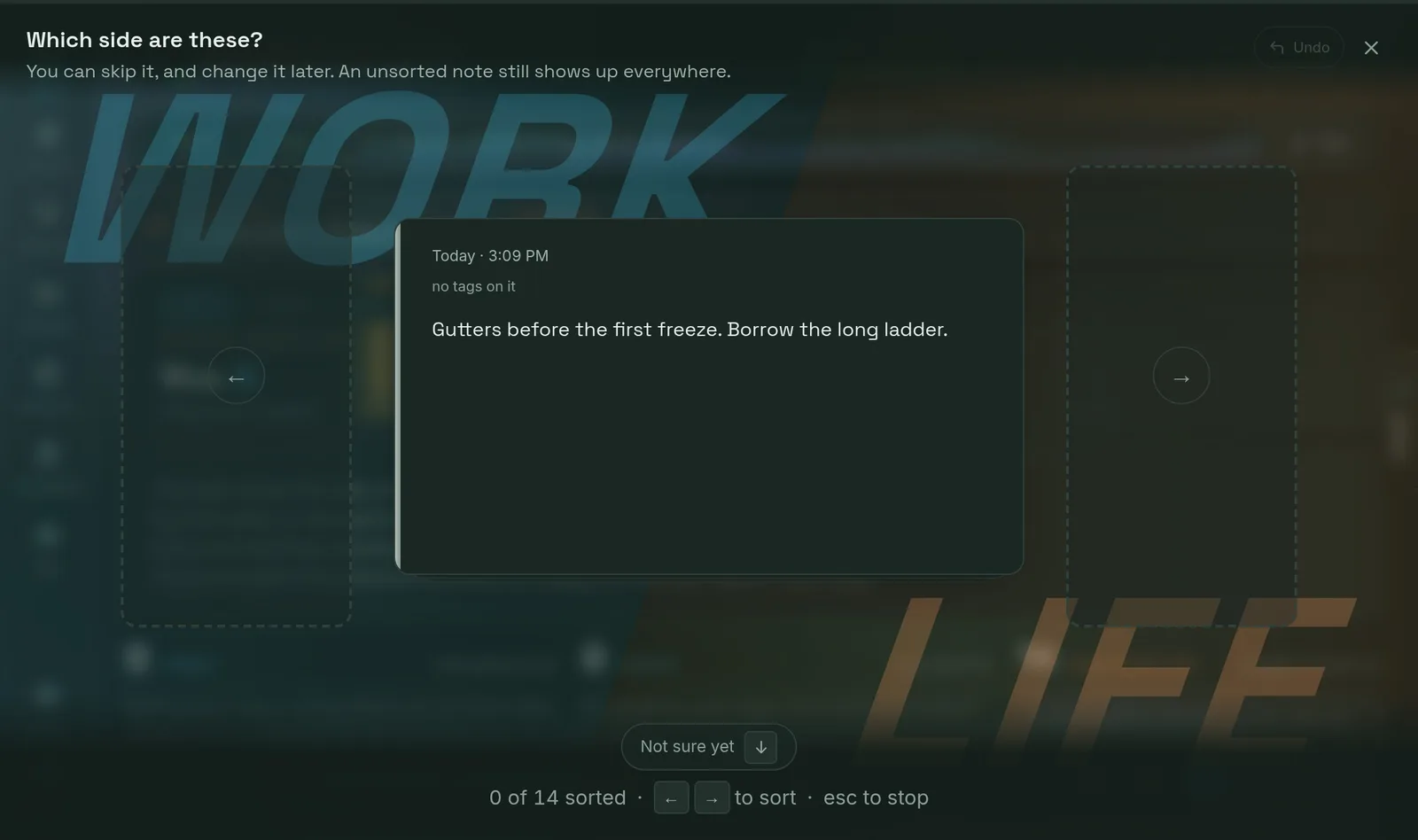
A pass that starts with your tags rather than your notes: one key sends a whole tag to a side, and every note carrying it goes at once, sub-tags and all. One key can file a dozen notes.
Can you keep work and the rest of your life apart?
Google Keep
Not as a division of the board. Labels and colours are flat, so work and life sit in one wall of cards and separating them means selecting labels every time you want one of them.
modulate.pro
One switch above the tags. Each tag belongs to a side, chosen once, and putting a side away takes its notes and its tags out of every picker and filter at once. People show on both sides, because who was there is not a fact about which half of your life it was.
Does anything come back on the day it matters?
Google Keep
Reminders, by time or by place, set per note.
modulate.pro
Deadlines with a horizon you can drag along, and routines that recur and roll forward when you finish them. The board is meant to be quiet until something is actually due, which is a different design from a notification.
What does it cost to leave?
Google Keep
Keep exports through Google Takeout, along with the rest of a Google account.
modulate.pro
One JSON file with every note, tag, checklist, deadline, chat and connection, from your own account settings, on every plan including the free one.
where Google Keep is the better answer
If Keep is working for you, keep using it. It is free, it is already on your phone, and it is fast.
There is no version of this page where a paid product beats a free one that a reader is happy with, and pretending otherwise would be the tell that the rest of it is sales copy. Keep is excellent at a short list, a photo of a receipt, a thing to remember before Friday. The case for moving is not that Keep is bad at those. It is that Keep does not have a plan for the four hundredth note, and if you have not hit that, you do not have this problem yet.
The reader this is for has hit it: a board that is still easy to write to and no longer possible to read, where the labels were applied honestly for a month and then stopped. What changes here is not capture, which you already do fine. It is that the backlog has somewhere to go and a way to clear it that does not mean opening four hundred notes.
No credit card. Everything you write is exportable in one file, on every plan, from the day you start.