side by side
modulate.pro and Evernote
Both will take a note and keep it forever. They disagree about whether you are the one who has to put it somewhere, and about what happens on the days you do not.
An app that does not ask you where a thought goes while you are writing it. This page compares what each one asks of you, which is the part you can check by opening them. It does not score them, and it is written by us, so read it as what it is.
What happens when you have a thought with both hands busy?
Evernote
You write it, and it lands in a notebook. There is a default one, so nothing blocks you, and the choosing is deferred rather than removed: the note is somewhere from the moment it exists.
modulate.pro
You write it and stop. It is not in a place yet, on purpose. Nothing has a default that quietly becomes where everything lives, because that is the pile this is designed around rather than a mess to apologise for.
What happens to the filing you skipped?
Evernote
It stays in whichever notebook caught it, and search is the answer. That works, and it is why the archive keeps growing: a note you can find is a note you never have to file.
modulate.pro
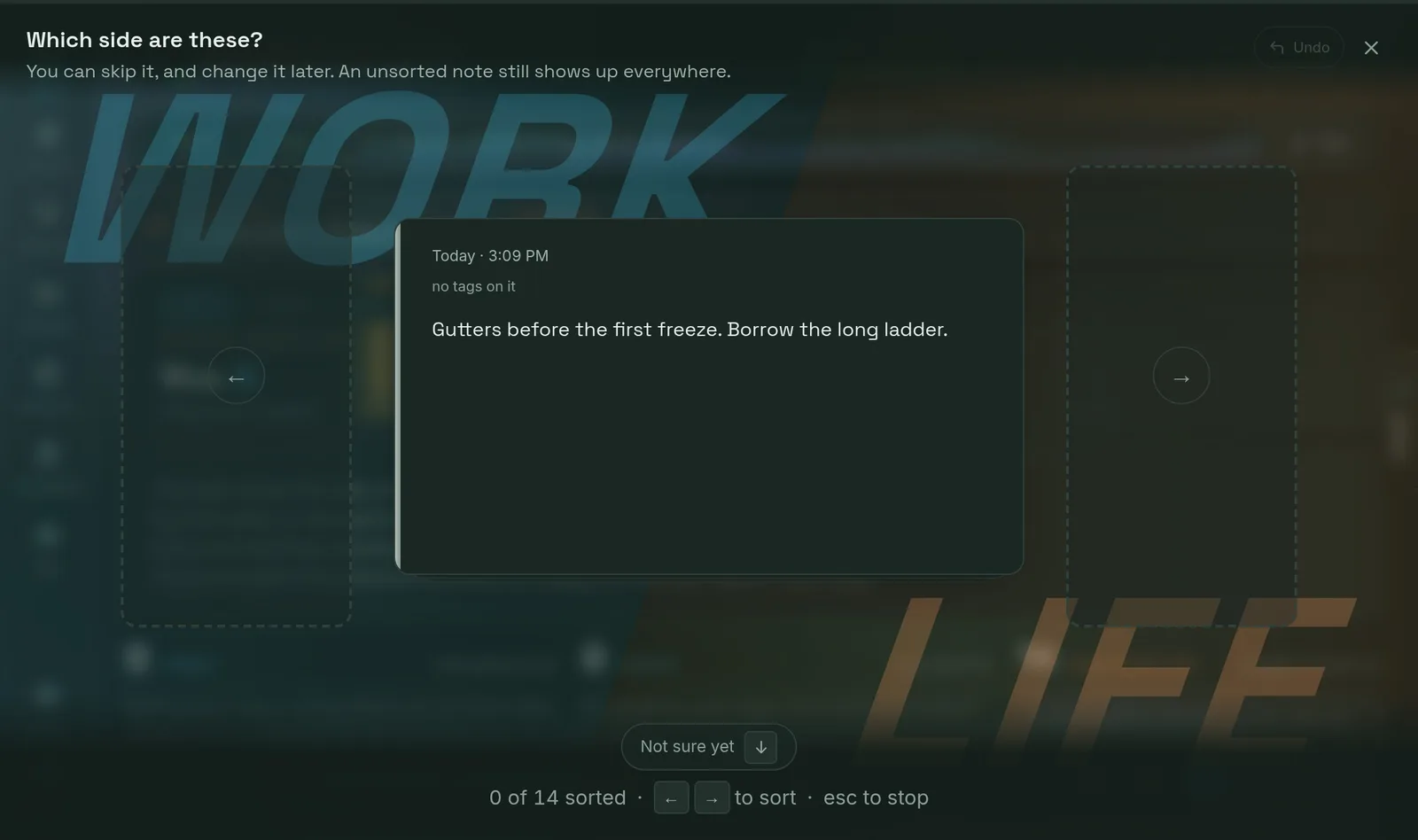
It piles up somewhere you can see the size of the pile, and clears in one pass on the arrow keys. The pass starts with your tags rather than your notes, so one key files every note carrying a tag at once.
Can you keep work and the rest of your life apart?
Evernote
With separate notebooks or stacks, maintained by you. Both halves stay in the same search results unless you narrow them each time.
modulate.pro
One switch above the tags. A tag belongs to work or to life, chosen once, so putting a side away takes its notes and its tags out of every picker and filter at the same time.
Does anything come back on the day it matters?
Evernote
Reminders set on a note, and a due date you can search by.
modulate.pro
A horizon you drag a deadline along, and routines that recur and roll forward as you finish them. The board stays quiet until something is actually due, which is a different design from a notification.
What does the free tier ask of you?
Evernote
There is a cap on the free tier, and it has moved more than once, so check today's number on their own pricing page rather than ours. What is worth knowing is the shape: the free tier is a trial of the library rather than a small permanent one.
modulate.pro
A note cap too, and it is on our pricing page in the plan table where you can read it. Nothing already written is ever taken away when you hit it or when you stop paying: the board stops taking new notes and says so, and everything in the account stays readable, searchable and exportable.
What does it cost to leave?
Evernote
Export is available, and a long archive is the thing that makes leaving feel expensive whatever the format says.
modulate.pro
One JSON file with every note, tag, checklist, deadline, chat and connection, from your own account settings, on every plan including the free one. It is a right rather than a feature, and it is the same file our own import reads.
where Evernote is the better answer
If what you want is a library, Evernote is built to be one and this is not.
A web clipper that saves a page as it looked, documents and receipts scanned and kept where the text inside them is searchable, a reference archive you go to deliberately when you need something out of it: that is a real job, Evernote has spent a long time on it, and none of it is what this is for. Our own about page says the same thing unprompted, that it is deliberately not a wiki or a place to keep documentation. This is for the layer underneath, the things you would otherwise have kept in your head.
The reader this is for has an Evernote account they have not opened in months and cannot quite bring themselves to delete. That is not a discipline failure and this page is not going to treat it as one. The filing was the part that needed doing every day and had to be done perfectly to be worth anything, which is the wrong shape of job for anybody. What changes here is that filing is a separate sitting, later, on the days you have one in you, and the days you do not cost you nothing.
No credit card. Everything you write is exportable in one file, on every plan, from the day you start.
Also compared: Notion and Google Keep.